Selecting a payment to view / edit
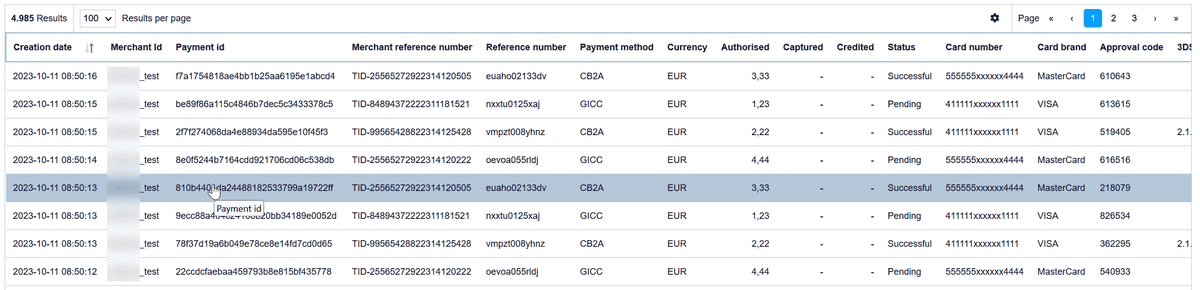
By moving the mouse on a payment row the selected row is highlighted:
Operation details
After selecting and clicking on a payment row the operation details for this payment will be displayed in a new tab / window like this:
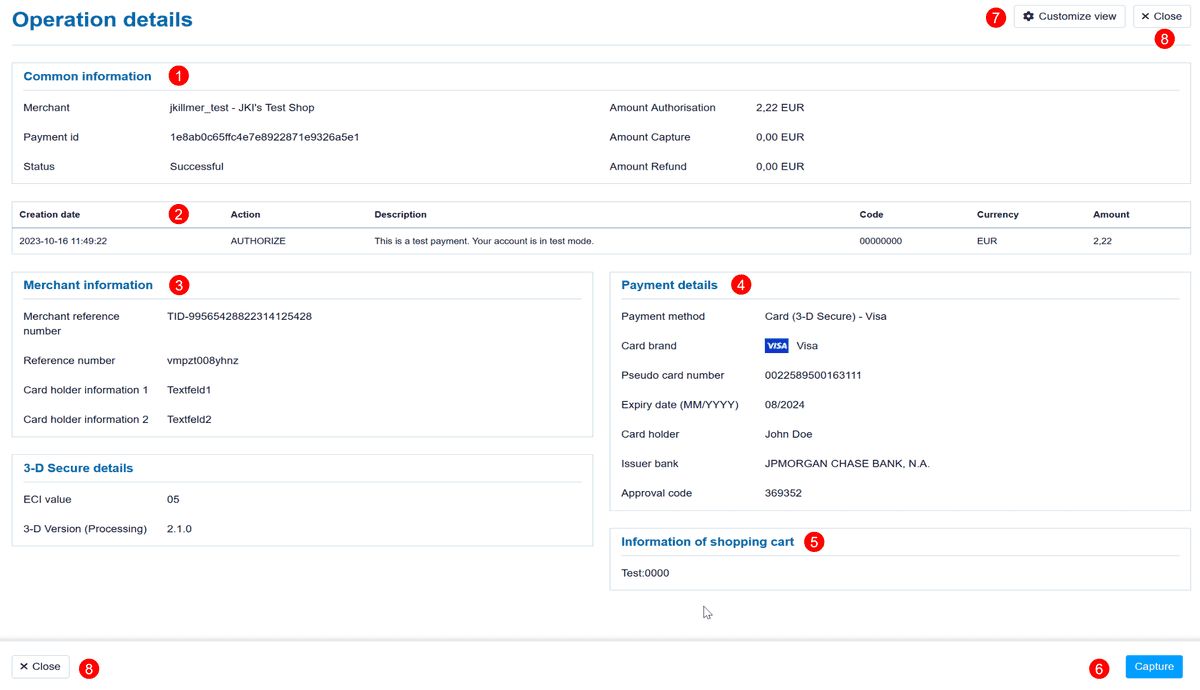
| Common information |

In this section you will find common information for this payment like
your merchant name
Paygate Payment Id
payment status
and amounts for authorization, captue and refund.
| Transaction list |

In this section you will find each transactions that have been made for this payment with its details:
date / time of that action
type of that action, e.g. Authenticate, Authorize, Capture, Refund, ...
description for that transaction
Code
Currency
Amount
| Merchant Information |

In this section you will find your own information for this payment like:
Reference Number
Merchant Reference Number
Cardholder information text
...
| Payment details |

In this section you will find some payment related information like:
credit card payments: brand, masked card number, expiration date, approval code, ...
direct debit payments: IBAN, bank name, ...
| Information of Shopping Cart |

In this section you will find the shopping cart information you have provided for this payment.
| Further actions |

Here you will find the most common used actions with direct access-buttons.
And also additional actions (like "delete GDPDR-relevant information").
Please note that these actions depend on your merchant configuration and your personal user profile / permissions.
| Customize view |

All payment details are organized in blocks.
"Common Information" show some Paygate internal data and are always displayed.
Transaction details can be hidden – or enabled, again.
The other information blocks can be placed on the left or the right side – according to your needs.
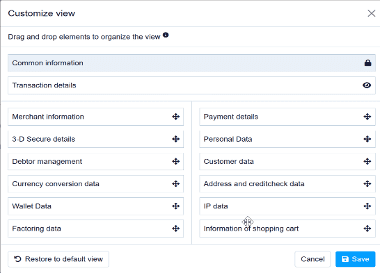
After you've finished your new view can be saved for future payment operations.
| Close this window |

As these details are opened in a new tab / new window, you may close this window here – or just close the tab via browser-feature.