To test a successful Giropay payment Giropay provides a simulator using special test data. This simulator is only available in German language.
Test data overview
Input form | Value |
BIC | TESTDETT421 |
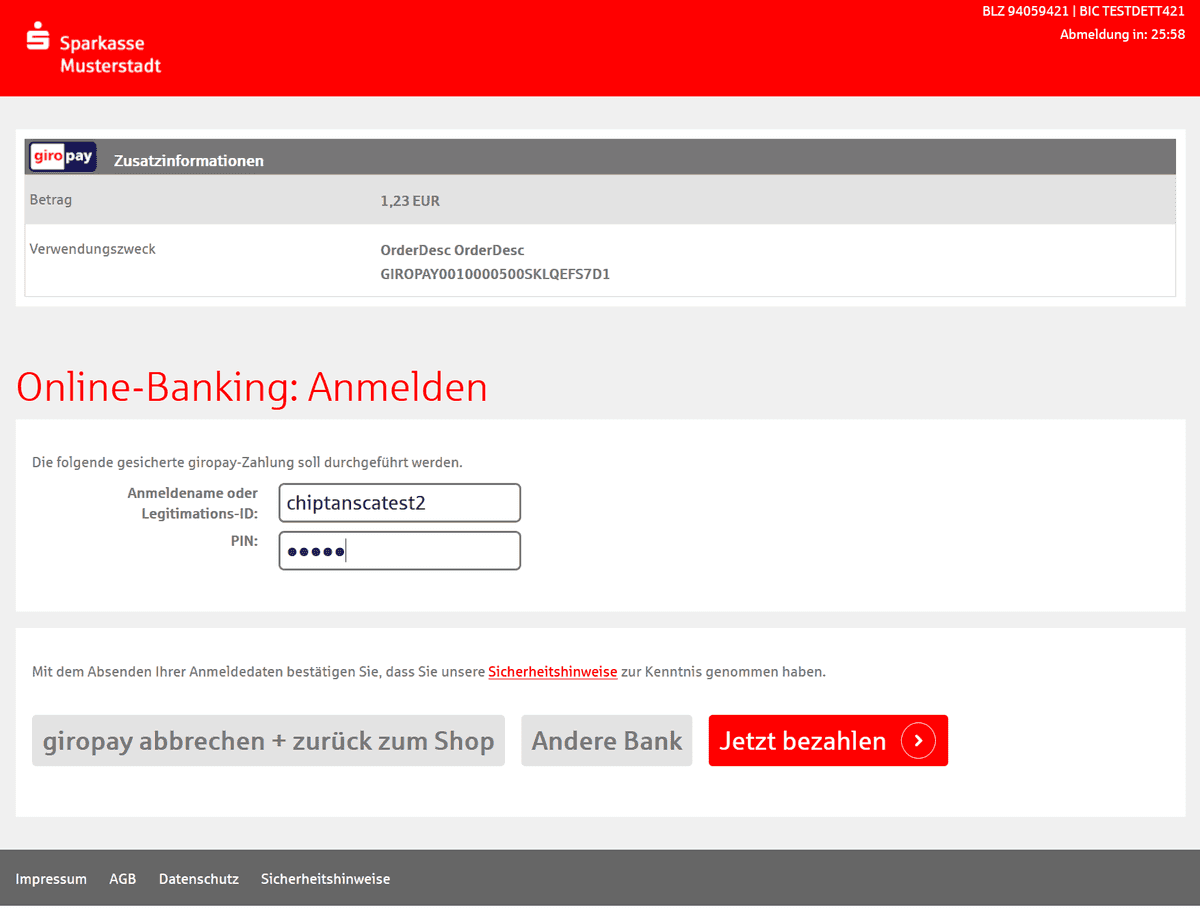
Anmeldename | chiptanscatest2 |
PIN | 12345 |
Auszuwählendes Chip-TAN-Verfahren | optisches Chip-TAN |
TAN für die starke Kundenauthentifizierung | 123456 |
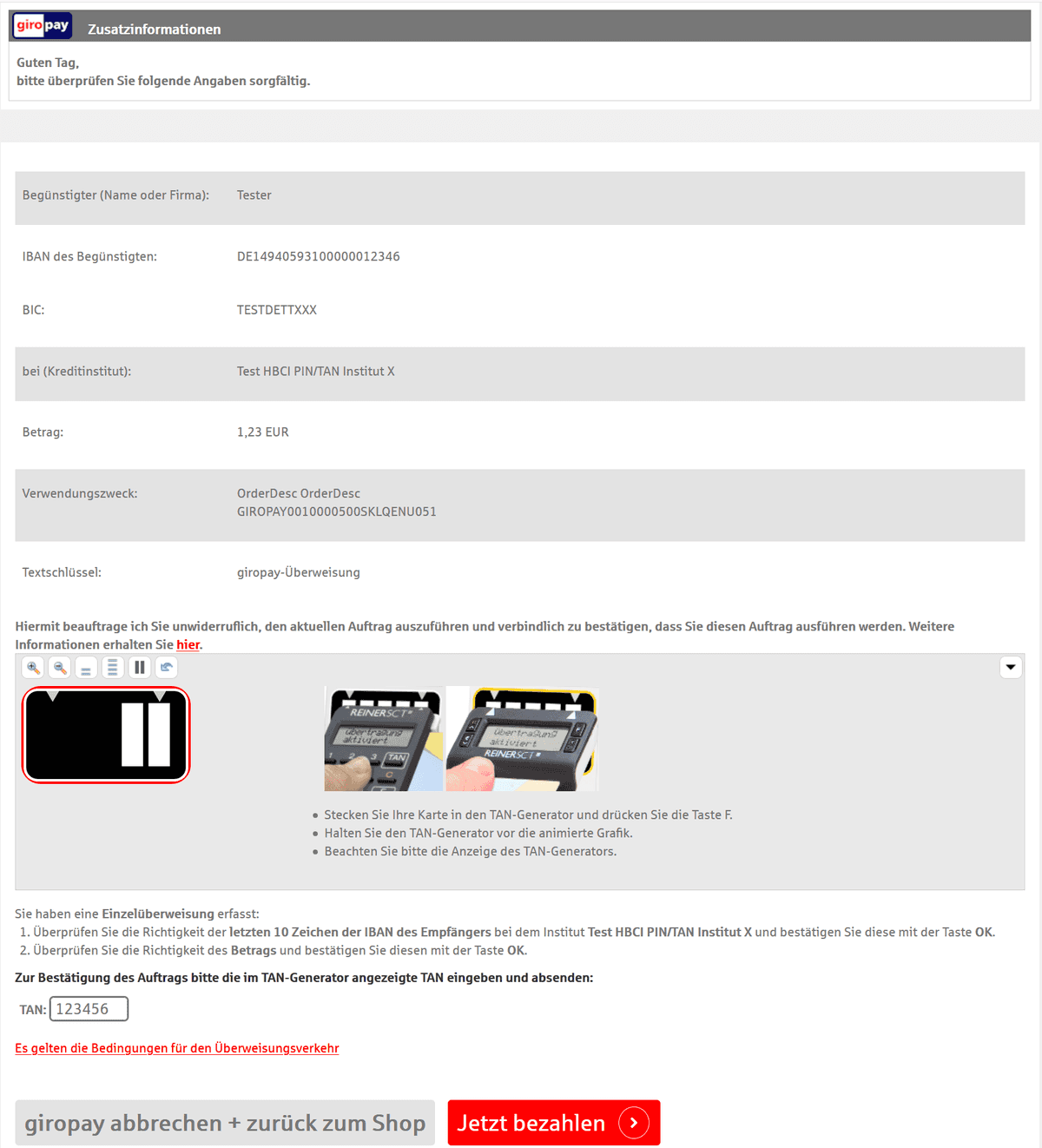
TAN für die Bestätigung des Überweisungsauftrags | 123456 |
Test payment step by step
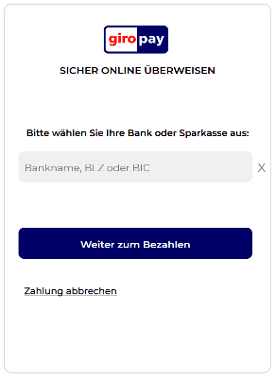
Start page |
|
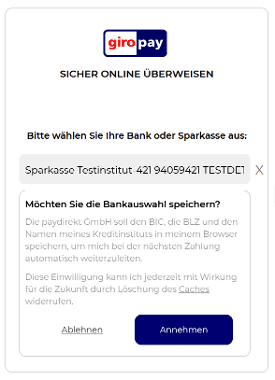
Enter BIC TESTDETT421 |
|
Select "Sparkasse Testinstitut" |
|
You will be asked to login into your test account using
|
|
Choose "Optischer TAN" for customer verification and click on "Weiter" |
|
Enter "123456" for TAN and click on "Login" |
|
Check payment details and click on "Weiter" |
|
Confirm payment and enter "123456" for TAN, again – and click on "Jetzt bezahlen" |
|
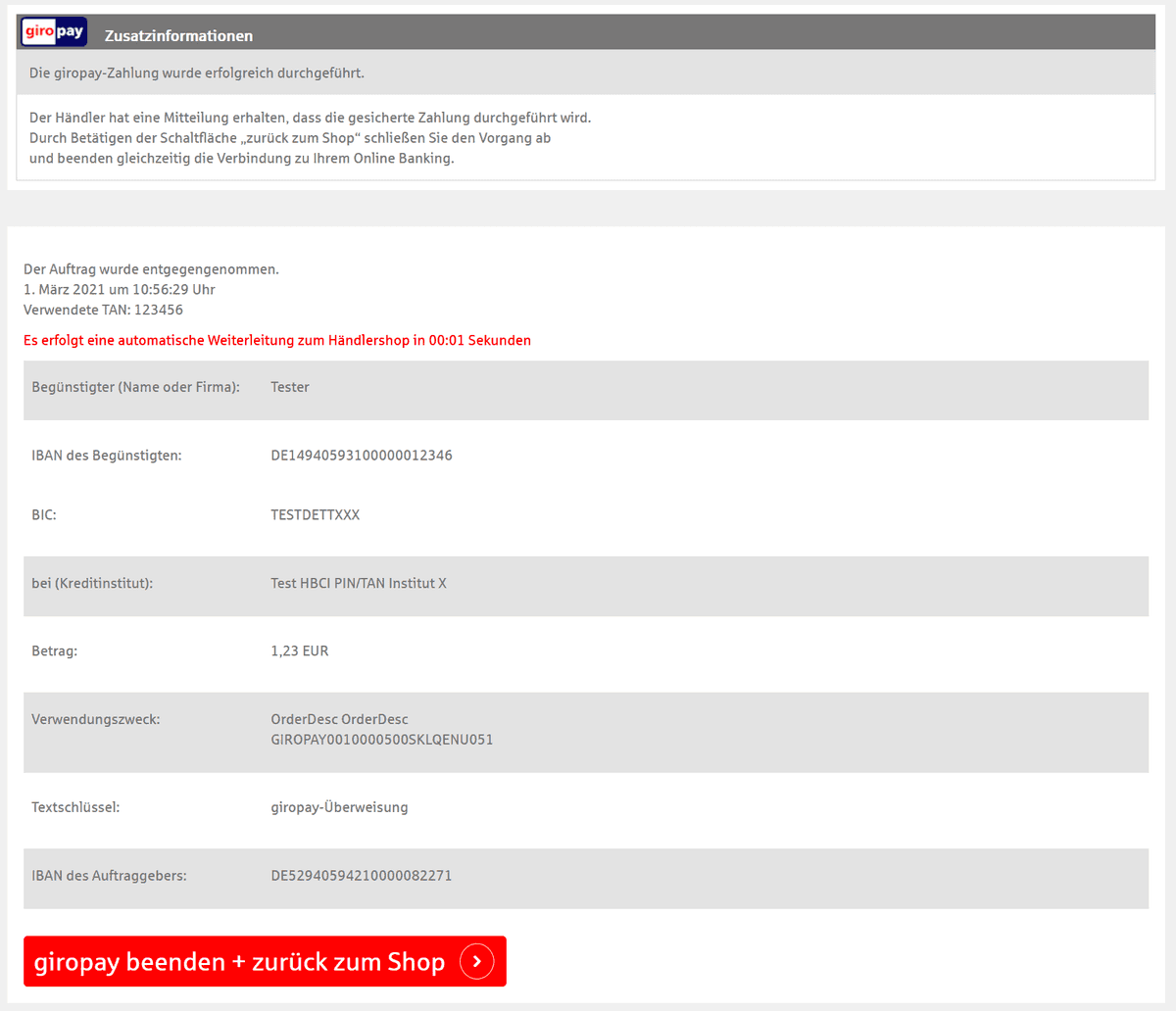
Your test payment has been processed and you will be redirected back to your shop after 5 seconds or by clicking on "giropay beenden + zurück zum Shop". |
|
Your test payment has been successfully processed. |



Notes
The Giropay simulator is an external system and only available in German language.
In case that the system is down Computop Paygate will return 21160921 / FTG IN MAINTENANCE MODE. Then pls. retry your test some time later.