The "View operations → Data export" tab allows you to export all information saved in the application as a CSV file. Furthermore, you can save the settings that were activate for the data export. Depending on the syntax used by the application, different separators are preferred for further processing of the CSV data sets. This is why you have the option to select the separator prior to export.
Overview of the selection fields for data export

"Period" selection field
"Select all" selection field
"Operation data" selection field
"Status data" selection field
"Card data" selection field
"Account data" selection field
"Wallet data" selection field
"Factoring data" selection field
"Personal data" selection field
"Address and credit check" selection field
"IP data" selection field
"Information about your shopping cart" selection field
"Execute action" button
Drop-down "Select action" menu
Drop-down "Separator" menu
Information on export data
Please keep in mind that the data available depend on the payment and the parameter that are sent to Computop Paygate, too.
Activating or deactivating all selection fields
The "Select all" selection criterion allows you to activate or deactivate all selection fields for data export.
"Select all" selection field
Any selection fields for data export that have already been selected will be lost when you activate or deactivate the "Select all" selection criterion.
Activating the "Period" selection field
When you click in the input fields for the date, a calendar opens in which you can select a date. When you click in the input fields for the time, you can define a time for the search.
Activating the "Operation data" selection field
Operation data are general information about an operation.
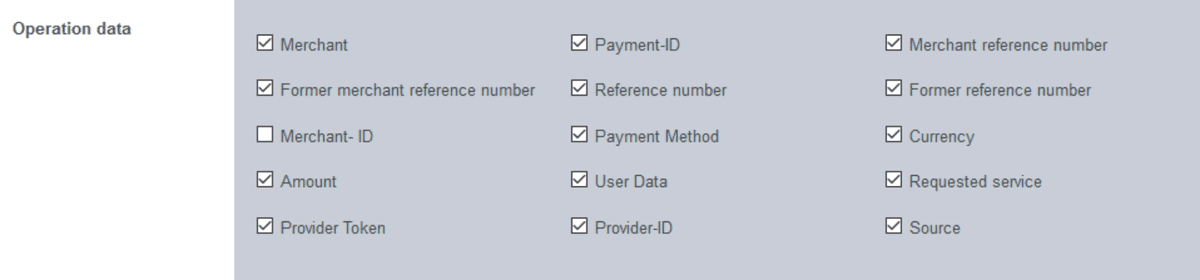
Operation data table
Selection criterion | Description | Parameter in Paygate |
Merchant | MerchantID assigned by Computop | MID |
Payment ID | PaymentID automatically assigned and unique for each payment process | PayID |
Merchant reference number | Merchant’s transaction number | TransID |
Former merchant reference number | depricated | depricated |
Reference number | The merchant reference number is a merchant code assigned by you to identify an operation | RefNr |
Former reference number | depricated | depricated |
Merchant ID | MerchantID at your credit card acquirer (also known as "AcceptorId" or "VU-Nummer") | --- |
Payment method | Payment method used for payment process, e.g. "Card - Visa" or "eWallet - Bluecode" | |
Currency | Currency (ISO, Alpha-3) used for payment process, e.g. "EUR", "GBP", "USD" | Currency |
Amount | Amount in smallest currency, e.g. 123 for 1,23 EUR | Amount |
User data | You may put some information to your own purpose | UserData |
Requested service | ||
Provider token | Unique transaction token of the external service provider. Normally used with credit cards for recurring payments. | TokenExt |
Provider ID | Unique transaction ID of the external service provider to identify a payment process | TransactionID |
Source |
Activating the "Status data" selection field
Status data are information about the creation data and the current status of an operation.

Status data table
Selection criterion | Description | Parameter in Paygate |
Creation date | Date / time for creation of payment process | n/a |
Time of capture | Date / time for capture of payment process | n/a |
Time of credit | Date / time for credit/refund of payment process | n/a |
Time of EPA creation | Date / time of EPA (credit card settlement), optional | n/a |
Current status | Current status of payment process: ERROR or OK | |
Current code | Detailed response code, see: A4 Error codes |
Activating the "Card data" selection field
Card data are information about an operation that was paid using a credit card.

Card data table
Selection criterion | Description | Parameter inPaygate |
Card brand | Card brand for a credit card payment, e.g. Visa, MasterCard | CCBrand |
Card number | Masked card number; due to PCI DSS regulation the card number is shown with 6 digits, "X", and 4 digits | MaskedPan |
Pseudo card number | Pseudo card number generated by Computop Paygate; this number can be handled and stored by the merchant without specific PCI DSS requirements. | PCNr |
Card holder | Name of card holder - if present | CreditCardHolder |
Country of origin | Country of credit card issuer bank - if present | IssuerCountry |
Approval code | Approval code of credit card acquirer - if present | ApprovalCode |
Type of capture | Type of capture (MANUAL, AUTO) - if present | Capture |
Card holder information 1 | Value shown on card holder accounting statement - depending on paymethod | Textfeld1 |
Card holder information 2 | Value shown on card holder accounting statement - depending on paymethod | Textfeld2 |
3-D secure | ||
Authentication number | 3-D Secure authentication value | CAVV |
ECI value | Electronic commerce indicator returned by acquirer / scheme | ECI / ECI3D |
Status | Status of 3-D secure authentication |
Activating the "Account data" selection field
Account data are information about an operation that was paid on account.

Account data table
Selection Criterion | Description | Parameter in Paygate |
Account number | Account number or IBAN - depending on paymethod | BankAccount |
Bank code | Bank code or BIC - depending on paymethod | BankCode |
Account holder | Account holder | AccOwner |
IBAN | IBAN - depending on paymethod | IBAN |
Pseudo account number (PBAN) | Pseudo bank account number generated by Computop Paygate | PBAN |
BIC | depending on paymethod | BIC |
Mandate ID | SEPA Mandate ID | MandateID |
Date of signature | Date of signature of SEPA mandate | DtOfSgntr |
Bank | Bank name | AccBankName / AccBank |
Card sequence number | ||
Country | Country of bank | |
City of residence | ||
Date of execution | ||
Transaction ID |
Activating the "Wallet data" selection field
Wallet data are information about an operation that was paid using an electronic wallet.

Wallet data table
Selection Criterion | Description | Parameter in Paygate |
Customer number | ||
Customer name | ||
Device | ||
Reference number | ||
Agreement number | ||
Channel | ||
Fee |
Activating the "Factoring data" selection field
Factoring data are information about an operation that was paid using the "Factoring" financing method.

Factoring data table
Selection Criterion | Description | Parameter in Paygate |
Transaction ID | ||
Reference number | ||
Payment target | ||
Customer number |
Activating the "Personal data" selection field
Personal data are all the information about the person who is paying for the transaction.

Personal data table
Selection criterion | Description | Parameter in Paygate |
Billing address | ||
Title | bdSalutation | |
First name | bdFirstName | |
Last name | bdLastName | |
Name | ||
Company | ||
Street | bdStreet | |
Address addendum | ||
Zip code | bdZip | |
City | bdCity | |
Region | ||
Country | ||
Country code | bdCountryCode | |
Shipping address | ||
Title | sdSalutation | |
First name | sdFirstName | |
Last name | sdLastName | |
Name | ||
Company | ||
Street | sdStreet | |
Address addendum | ||
Address part 1 | ||
Address part 2 | ||
Address part 3 | ||
Zip code | sdZip | |
City | sdCity | |
Region | ||
Country | ||
Country code | sdCountryCode | |
Status | ||
Other data | ||
Title | ||
First name | ||
Last name | ||
Email address | ||
Phone number | ||
Country | ||
Additional information | ||
Business segment | ||
Status of security | ||
Gender | Gender | |
Date of birth | DateOfBirth | |
Age | ||
Person ID | ||
Customer number |
Activating the "Address and credit check" selection field
Address and credit check data are all the information about the address and credit check of a person for an operation.
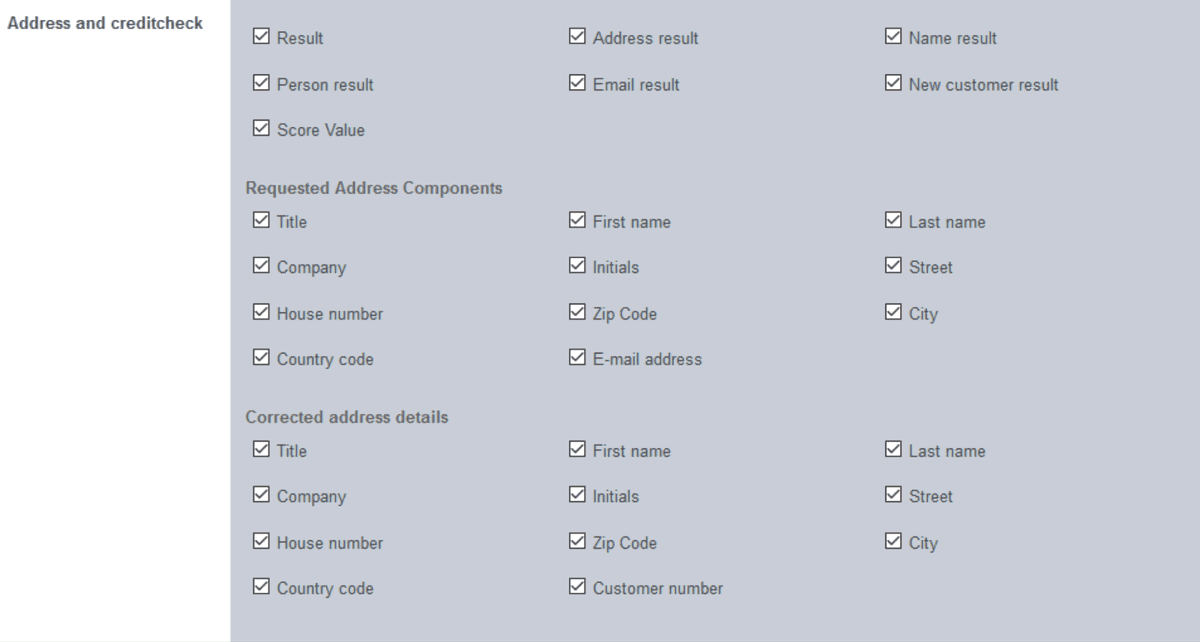
Adress and credit check table
Selection Criterion | Description | Parameter in Paygate |
Result | ||
Address result | ||
Name result | ||
Person result | ||
Email result | ||
New customer result | ||
Score value | ||
Requested address components/corrected address details | ||
Title | ||
First name | ||
Last name | ||
Company | ||
Initials | ||
Street | ||
House number | ||
Zip code | ||
City | ||
Country code | ||
Email address/customer number |
Activating the "IP data" selection field
IP data are all the information about the device used by a person and that was used to pay the transaction.

IP data table
Selection Criterion | Description | Parameter in Paygate |
IP address | ||
Country | ||
Country code (ISO 3166 ALPHA2) | ||
Country code (ISO 3166 numerical) | ||
City | ||
State | ||
Longitude | ||
Latitude |
Activating the "Information about your shopping cart" selection field
Information about your shopping cart is all the information about the products that were paid for with the transaction.

Information about your shopping card table
Selection criterion | Description | Parameter in Paygate |
OrderDesc | Shopping cart information | OrderDesc |
OrderDesc2 | Shopping cart information | OrderDesc2 |
Starting data export or saving settings
You have the option of exporting all information activated in the selection fields for the selected period as a CSV file. Furthermore, you can save the information activated in the selection fields for the next data export.

Drop-down "Select separator" menu
Drop-down "Select action" menu
"Execute action" button
Proceed as follows to start data export or to save the settings:
1.Select the required period.
- Activate the required information in the selection fields.
Separator for data export
Depending on the application and the country, a different separator will be required for the export and import of a CSV file. This is why you have the option of selecting a separator for the CSV file from the drop-down menu.
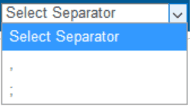
- Select the separator from the drop-down "Select separator" menu.
→ The separator selected is shown in the drop-down "Select separator" menu.
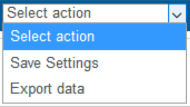
- Select the action from the drop-down "Select action" menu.
→ The action selected is shown in the drop-down "Select action" menu".
- Click on the "Execute action" button.
→ The required action is carried out. → The settings are saved to the application, or the data export is issued as a CSV file ready to download.