About Automatic SEPA Mandate Management
SEPA Direct Debit payments do require a SEPA Mandate which needs to be presented to the consumer and needs to be approved.
SEPA mandates are valid for 36 months after approval and are extended by another period of 36 months after each use (SEPA direct debit payment using this mandate).
Computop Paygate supports automatic SEPA mandate handling based on consumer's IBAN.
This feature can be activated by Computop Helpdesk for your Merchant configuration.
How it works
Form payments (PaySdd / HPP) to create / use a mandate
For creating a mandate a form payment (PaySdd / HPP) has to be used, of course. So the consumer is in session and can be prompted to approve a new mandate.
If Computop Paygate already finds a valid mandate for that IBAN the consumer will not be prompted to approve the mandate and SEPA Direct Debit payment initated.
Template name (e.g. template=ct_responsive) and Template language (e.g. language=en) are sent as plain parameters - not part of encrypted Len + Data.
Automatic Computop Paygate SEPA Mandate Management can to be activated on your Merchant configuration
Please contact Computop Helpdesk if you want to have that feature active.
A mandate is checked based on the IBAN of the consumer
If a mandate is already existing and has been used within the last 36 months this mandate will be used and extended
If no valid mandate is found the consumer will be prompted to grant and approve a mandate for your merchant configuration.
This mandate is then used to continue with SEPA Direct Debit payment
Sequence diagram
Direct debit payments (edddirect.aspx) to use an existing mandate
You may use an existing mandate which has been approved by the consumer earlier to initiate a SEPA Direct Debit payment. The mandate is related to your Merchant configuration and the IBAN of the consumer. Also the PseudoBankAccountNumber (PBAN) can be used to reference the SEPA Mandate.
The SEPA Mandate has to be approved by the consumer already and it must still be valid (e.g. last used withing last 36 months)
You can use consumer's IBAN to reference that mandate or use PBAN which has been generated by Computop Paygate for that IBAN.
By creating a direct debit payment for this IBAN/PBAN the mandate is automatically updated and valid for another period of 36 months. For this use case the mandate has to be a recurring mandate (MdtSeqType)
Sequence diagram
Languages
SEPA Direct Debit Mandates are supported in these languages:
Code | Description | Code | Description | |
de | German | hu | Hungarian | |
en | English | it | Italian | |
bg | Bulgarian | nl | Dutch | |
cs | Czech | pt | Portuguese | |
da | Danish | ro | Romanian | |
es | Spanish | sk | Slovak | |
fi | Finnish | sl | Slovenian | |
fr | French | sr | Serbian | |
hr | Croatian | sv | Swedish |
* Serbia is not part of SEPA area. So SEPA direct debit is not supported – just SEPA mandate is translated into serbian language.
Testing and samples
Testing
we have a list of IBANs listed here that can be used to create a SEPA Mandate: Test direct debit
A SEPA Mandate is
either valid for a single SEPA Direct Debit payment with MdtSeqType=OOFF
or valid for multiple SEPA Direct Debit payments within 36 months with MdtSeqType=RCUR
Samples
Description | |
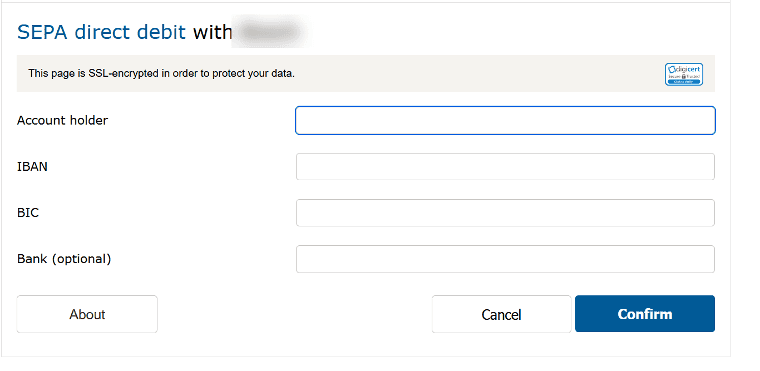
| PaySdd form for consumer to enter Account Holder and IBAN |
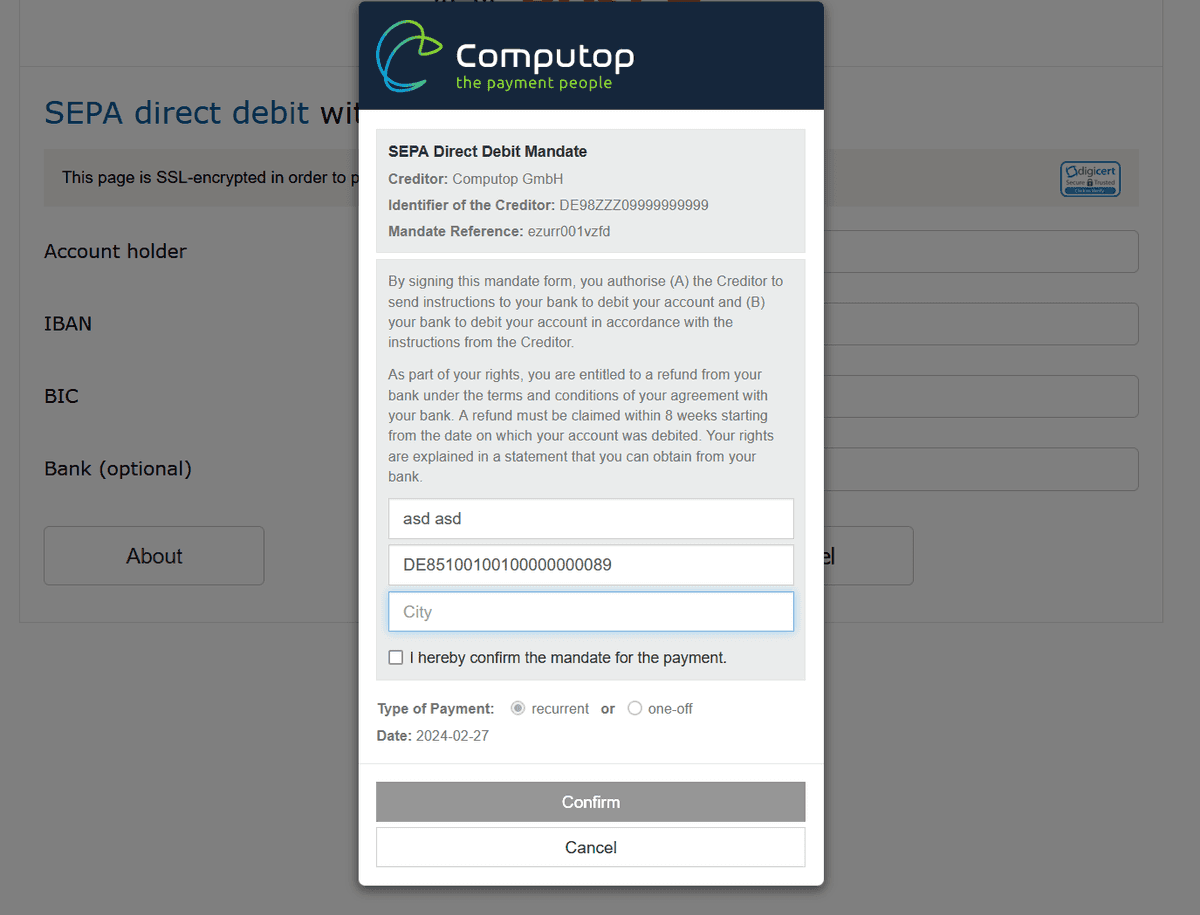
| Mandate form for consumer to enter city and approve SEPA mandate |